
What the fuck are passkeys and why are they everywhere now?

This is a writeup of a talk I gave at Minnebar 20.
Originally, I threw in some Matrix references to make the talk more fun & engaging. Those jokes work better in person, so I’ve mostly omitted the Matrix from this writeup (though some vestiges remain).
It seems like every time I log into a website these days, I get one of these fucking screens asking me use passkeys:
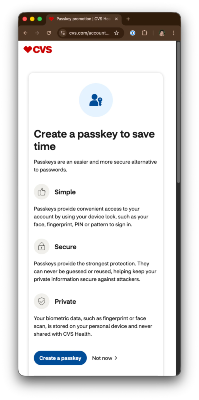
So far, I've ignored these websites' pleas to convert. A year ago I did some cursory research on passkeys, failed to understand why they were any better than passwords, and didn't see a reason to upgrade. Given that no one was forcing me to use them, I decided it was safe to ignore.
That was the situation until a few months ago. I was at a family gathering and my mom asked what she should do about these passkey things that websites keep pestering her about.

At this moment, I failed as family tech support. I'd been shirking my responsibilities and had no answer for her. Should she be using passkeys? Are people better off using them? What the fuck are they, really?
Let's take a journey together through passkey’s history: why passwords are deficient, how passkeys fix those defects, and what are passkey's own problems. And by the end of this post, we should be able to answer whether or not my mom should use passkeys.
Passwords
Let's start by defining some terminology.
Authentication is the act of verifying a user is who they say they are. I show websites I am who I say I am with some proof (like a password).
Authorization is a related topic: checking whether a user has permission to do something. For example, a wiki might have verified I’m Dan Lew, but still not allow me to edit content because I’m only authorized to view it.
Passwords & passkeys are part of authentication, so we’ll set aside authorization for now. (I just wanted to define these terms since they’re easily confused/conflated together.)
Electronic passwords were first used in the 1960s as part of MIT's Compatible Time-Sharing System. They needed a way to identify each user, and passwords were a straightforward solution. However, security on these passwords was nonexistent; all user/password combinations were stored in plaintext on a file anyone could access (and, indeed, someone did fess up later to printing out that file so they could get extra time on the system).
Over the years, we've improved the security of passwords from these humble beginnings: we added hashing so passwords aren't stored in plaintext, salting to prevent rainbow table attacks, expensive hashing algorithms to slow brute force attacks, multi-factor authentication to defend against stolen passwords, and the dreaded minimum password requirements.
But these weren't enough. Passwords still have major, seemingly insurmountable problems:
Weak passwords - People regularly use passwords that are easy to guess or short enough to brute force.
Password reuse - People reuse the same password on multiple sites; if one of those sites leaks its passwords, then attackers can use credential stuffing to get into a user's other accounts.
Data breaches - Sites and data breaches: name a more classic combo. I get a letter every other month from some medical provider telling me that all my personal info has been stolen again. When a database leaks, even a hashed password can eventually be cracked (especially if it's not particularly strong).
Phishing - You thought you were logging into danlew.net, but you were actually at evil-danlew.net. Passwords don't care which domain they’re used on, so now the phisher has your password.
There are ways folks can mitigate some of these attacks (like using a password manager and 2FA). But passwords regularly fail to protect people because of these core deficiencies.
WebAuthn
Where there's a problem, there's a working group.
The Wide Web Consortium (W3C) and Fast IDentity Online (FIDO) Alliance got the band together to try to fix passwords. They've come up with a better standard called….

Maybe you thought I was going to say "passkeys" here, but passkeys are just one part of WebAuthn. The spec, as a whole, defines how to do authentication in a new, more secure way.
As an aside: why "WebAuthn" instead of just "WebAuth"? Well, that's because "auth" is ambiguous; it could mean either "authentication" or "authorization", since they both start with "auth." Though, I still find "authn" confusing because both those words also end with the letter 'n'!
WebAuthn was first proposed in 2013. They finalized the level 1 spec in 2019, and released the level 2 spec in 2021. At that point, WebAuthn was still a niche technology, rarely implemented or used.
The big turning point came in 2022 when Apple released passkeys. This release had two big effects: first, Apple coined the term "passkey". A brilliant move, IMO, because it doesn't sound like technojargon & evokes the idea of passwords (but better). The second big effect was that it brought WebAuthn to the masses: anyone with an iOS device could start using it.
Once Apple was in the WebAuthn game, everyone else followed: websites & apps started implementing WebAuthn, and all the other major players got in on the action as well - platforms like Microsoft & Google, credential managers like 1Password and Dashlane, and browsers like Chrome & Firefox.
WebAuthn is still evolving. As of writing, there's a level 3 spec that’s at the “Candidate Recommendation Snapshot” phase. I'm not too familiar with the pace of W3C standard adoption so I have no idea when it'll get finalized.
Passkeys
What is a passkey, if it's only a part of WebAuthn?
For a while, that question was left as an exercise for the reader. While Apple coined the term, they did not specify exactly what type of WebAuthn credential it was. This has led to some chaos that still persists to this day, as you'll easily find different, conflicting definitions of what, exactly, a passkey is.
Thankfully, passkeys are becoming part of the official WebAuthn spec now. They are synonymous with a pre-existing idea: a discoverable credential.
A passkey has three properties:
1. It's a WebAuthn credential...
2. ...that's passwordless (as all WebAuthn credentials are).
3. ...and usernameless (that's the "discoverable" part).
When done right, you can login to a website without needing anything but your passkey.
Let's take a look at how the process looks, using the demo site webauthn.io.
The first step is to register a passkey with the site. In this step, I enter a username, signal to the site that I would like to register a passkey, then save the generated passkey to my credential manager (1Password).
Now that I'm registered, I can use my passkey to authenticate with the website. (Notice how I do not have my username entered.) I click on the "authenticate" button, which starts the passkey authentication flow. 1Password offers to let me use the passkey they stored, and bam, I'm in!
Convenient, eh?
Passkey Protocol
What the fuck is actually happening under the hood?
To explain that, I first need to explain how public-key cryptography works. In particular, using keys to do digital signatures.
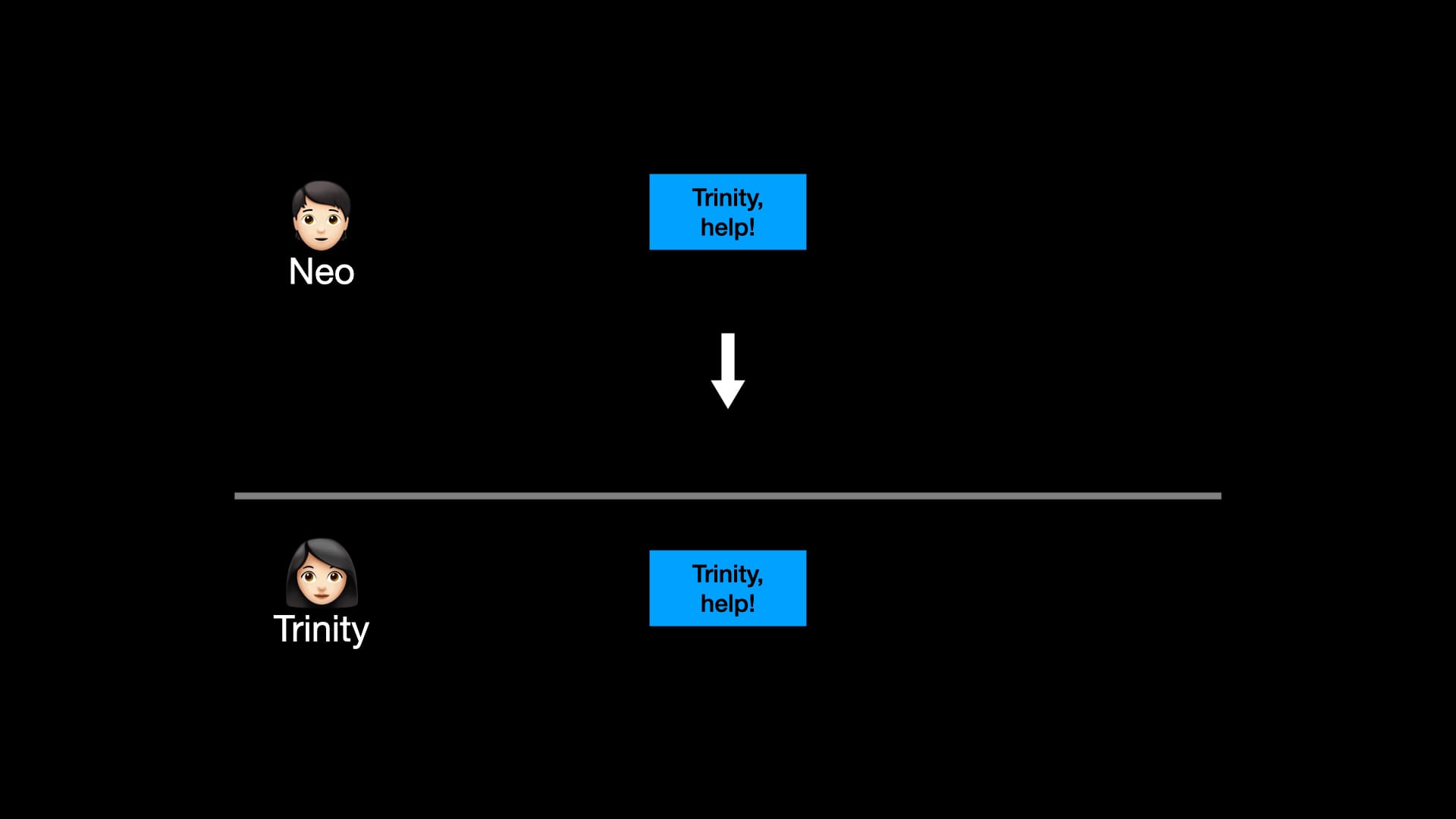
Let's imagine that we're sending an important message from Neo to Trinity. Everything is fine, right?
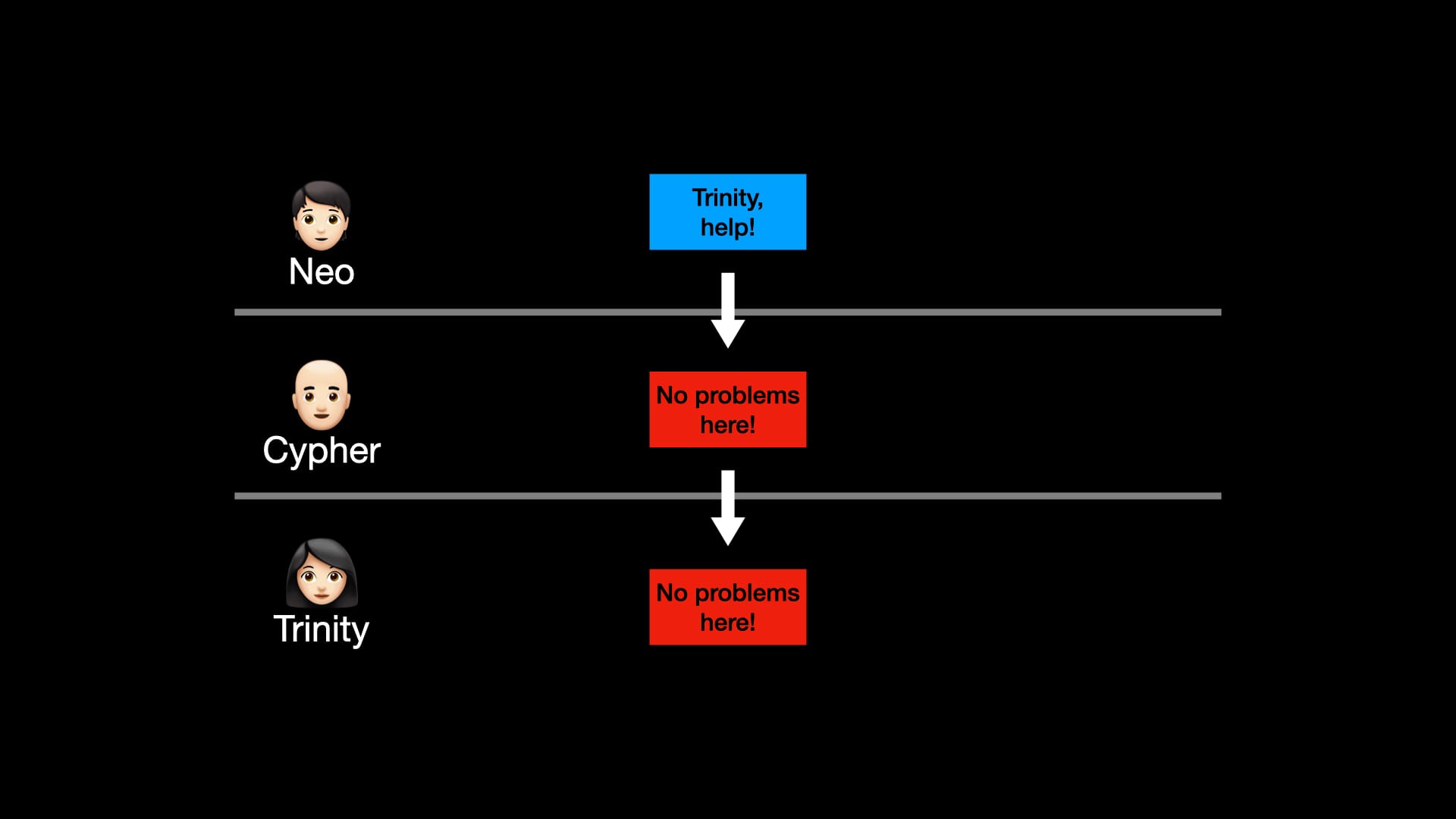
Wrong! Imagine Cypher manages to man-in-the-middle the message and manipulate it. Without any sort of security, Trinity can't tell that the message she received is illegitimate. What we need is a way for Trinity to verify that she got the message Neo actually sent.
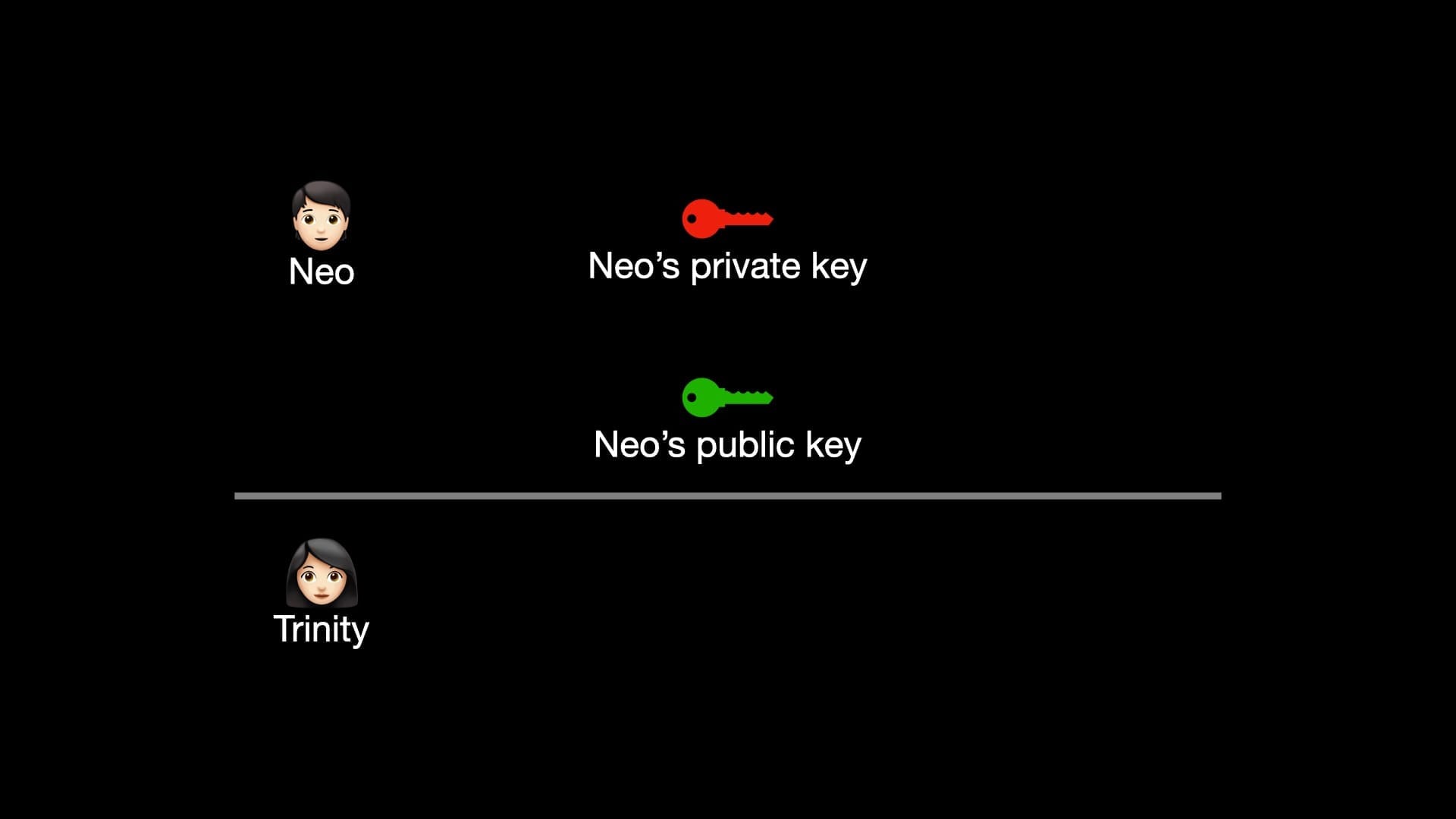
To do that, Neo generates a private and public key. They're large numbers that have interesting properties when used together. (My hand-wavey explanation is about as specific as you need, and also about as much as I understand of the math.)
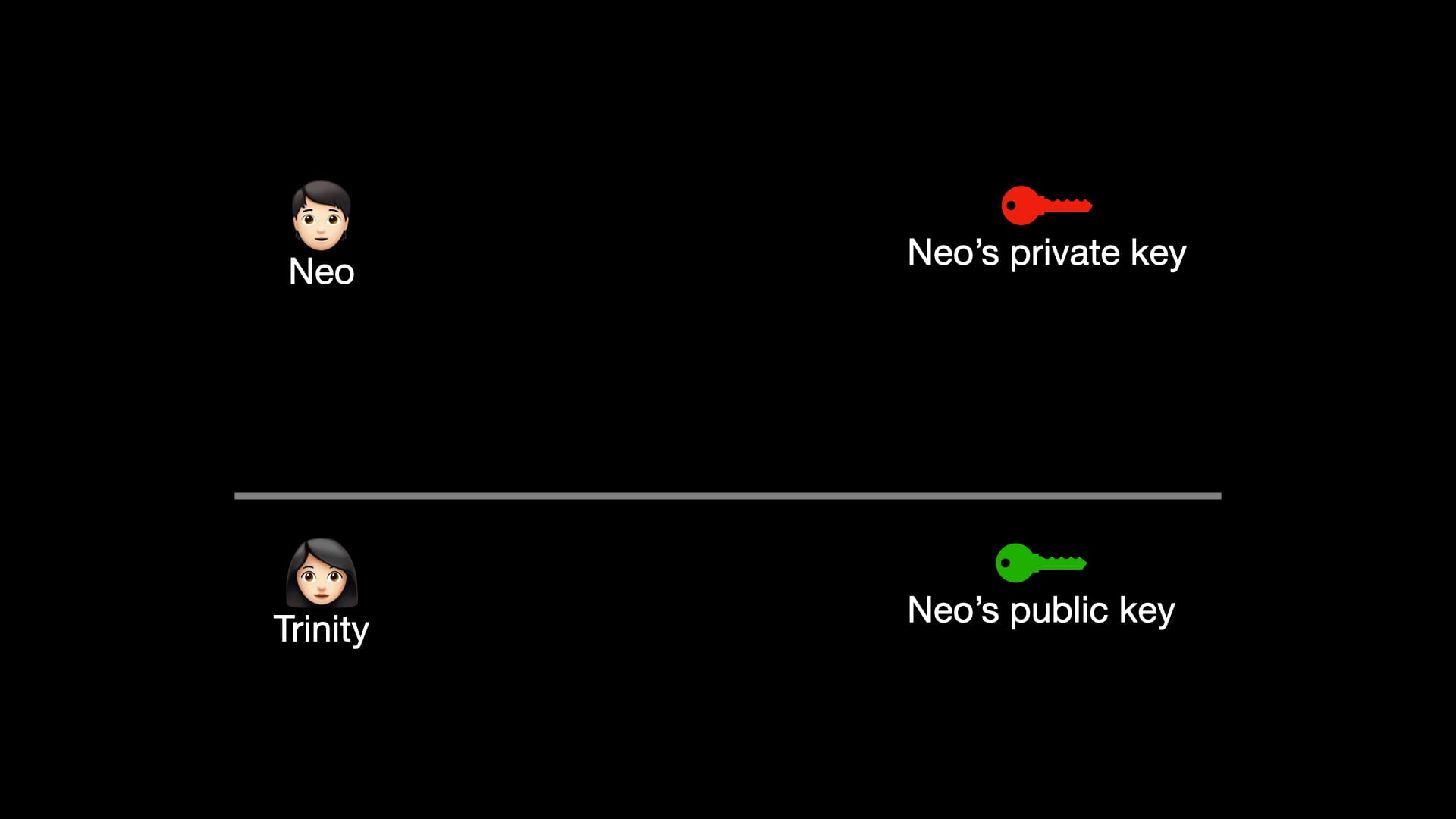
As their names imply, Neo keeps the private key to himself, but sends the public key to Trinity. What's important to note here is that we don't care who has the public key. Cypher could have it as well, but it doesn’t matter (for reasons that will become clear shortly).
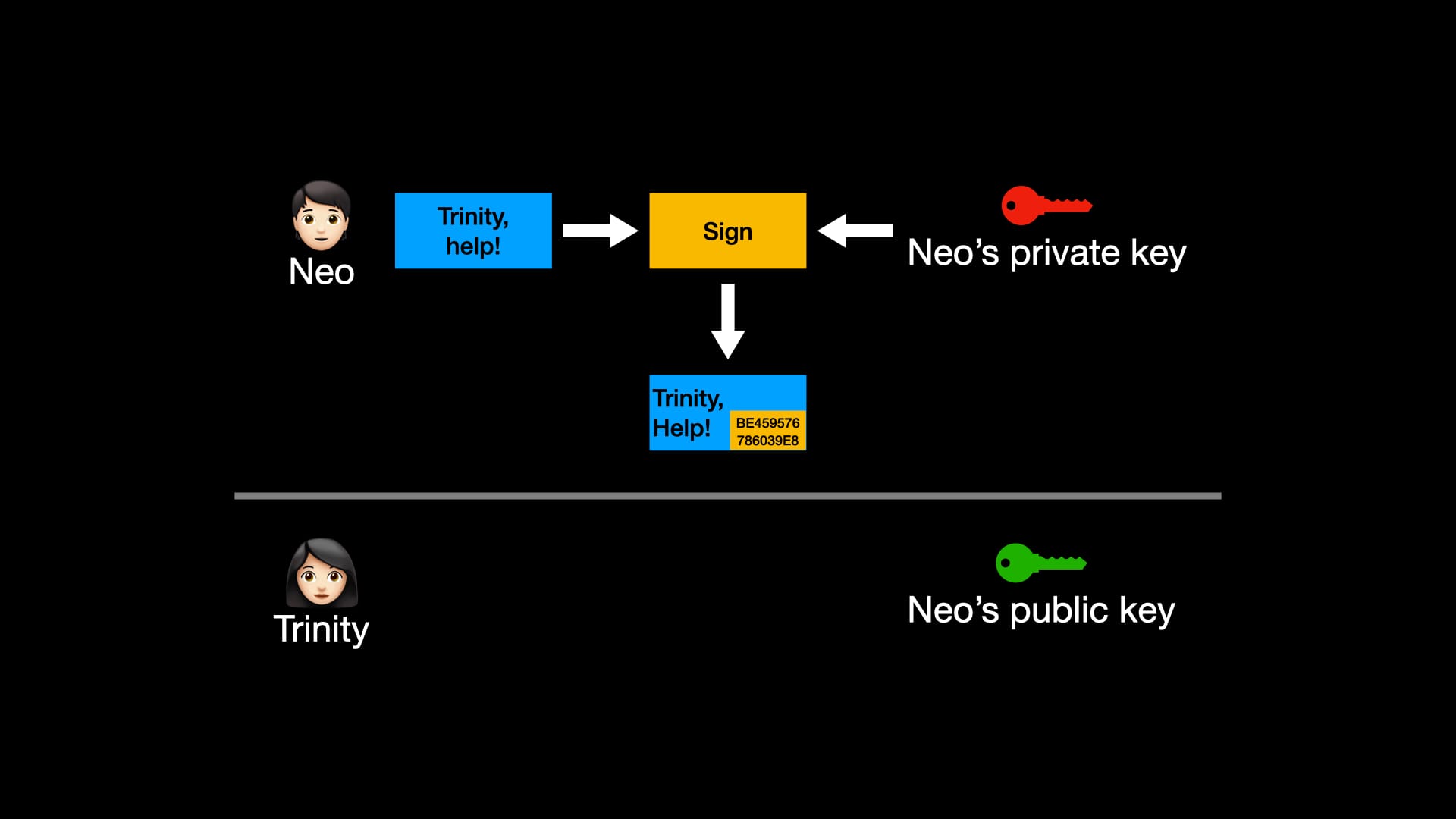
This time, before transmission, Neo signs the message with the private key. With the power of math, some extra numbers (the signature) are attached to the message.
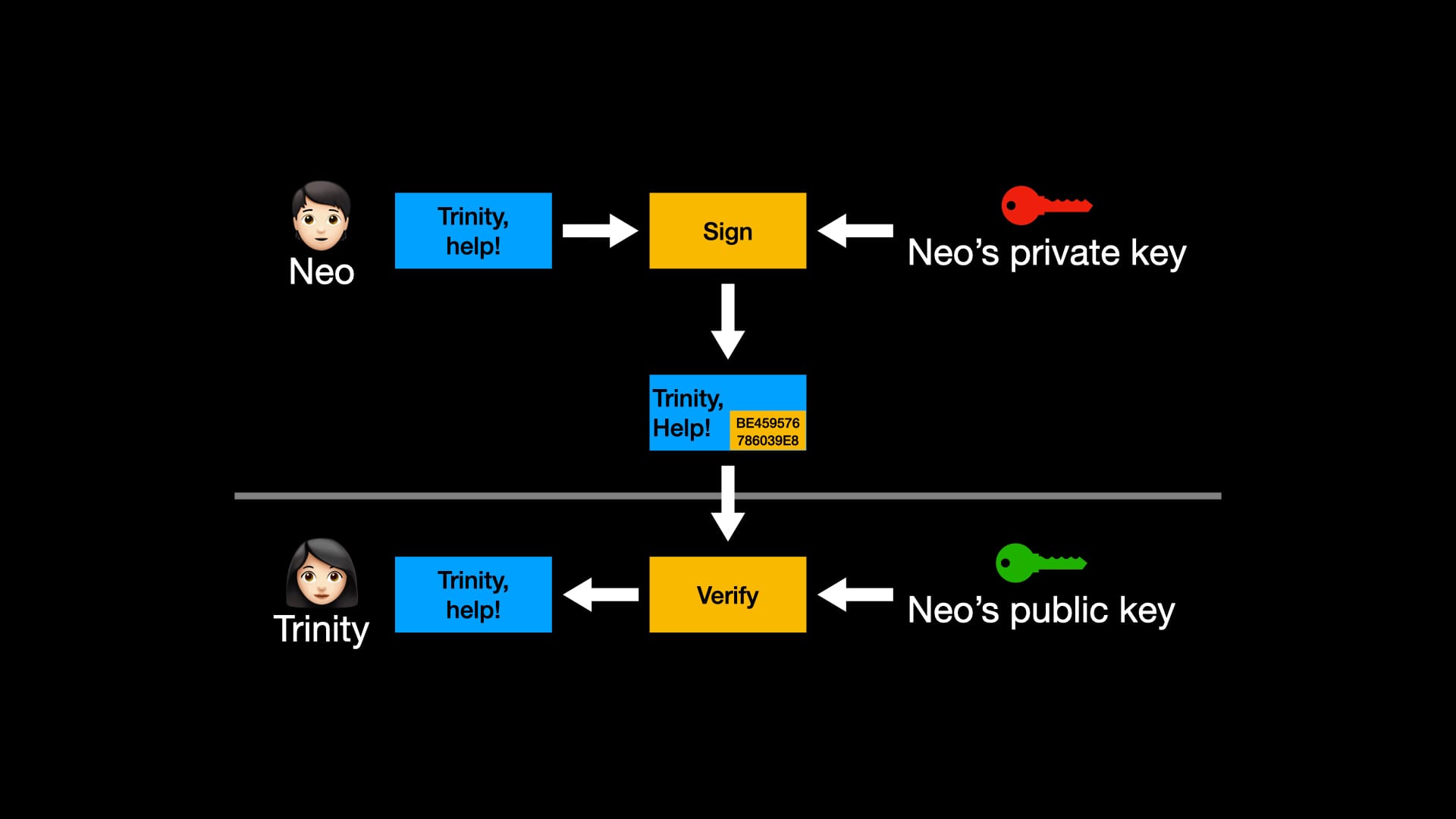
When Trinity receives the message, she can take the original message, the signature attached to it, and Neo's public key to verify that the message wasn't altered. Now she can rest assured that Neo sent the original message and that it wasn't modified.
(Remember how I said it didn’t matter who had the public key? That’s because all anyone with a public key can do here is verify, not manipulate, the message.)
I'm going to do a magic trick now. Let's see what happens when I replace "Neo" and his private/public keys with "you" and your keys. I'll replace "Trinity" with "a server." And the message is now an authorization statement.
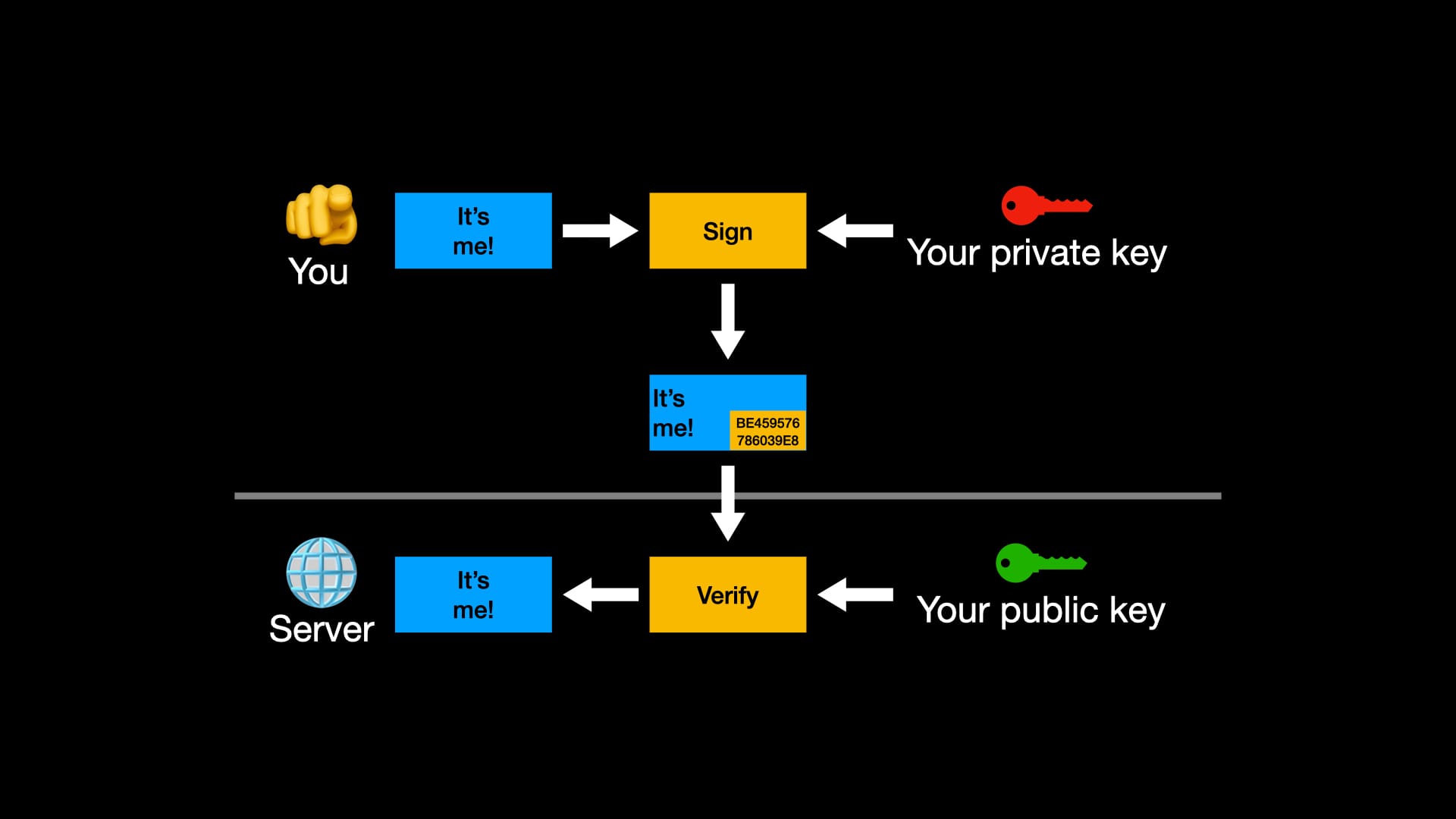
Behold! I've now proven to a server that I am who I say I am. That's authentication! When I first registered my passkey with the server, I generated a private & public key, and gave the server the public key. When I later authenticate, I can sign a message proving that I'm the holder of the private key, and the server can verify that with the public key.
There are many more details to the WebAuthn flow than what I've presented here - details that protect against a variety of potential security issues - but digital signatures are at the core of it. Now you have a basic mental model of what passkeys are doing.
Passkey Benefits
The cool thing about passkeys is that they solve all the problems I wrote about earlier with passwords.
Weak passwords are replaced with strong passkeys. There is no such thing as a weak passkey, it's using complex math to make big strong numbers.
Password reuse is replaced by unique passkeys. Passkeys, by design, are unique for every website; there's no way to reuse a passkey.
Data breaches still happen, but we no longer care. The server only has our public key; we don’t care who has it.
Phishing is now impossible. One other detail of WebAuthn is that a credential is linked to a domain, so you can't even use a passkey on a different website.
Not only have we triumphed over the weaknesses of passwords, but passkeys are also more convenient. All you need is your authenticator (usually your phone) + a way to unlock it (pin, fingerprint, face). No more username or password entry.
And, theoretically, you don't even need to use 2FA anymore! The point of 2FA is to provide multiple proofs you are who you say you are, so that attackers can't get anywhere with just a single factor. Three common factors are "something you know", "something you have", and "something you are."
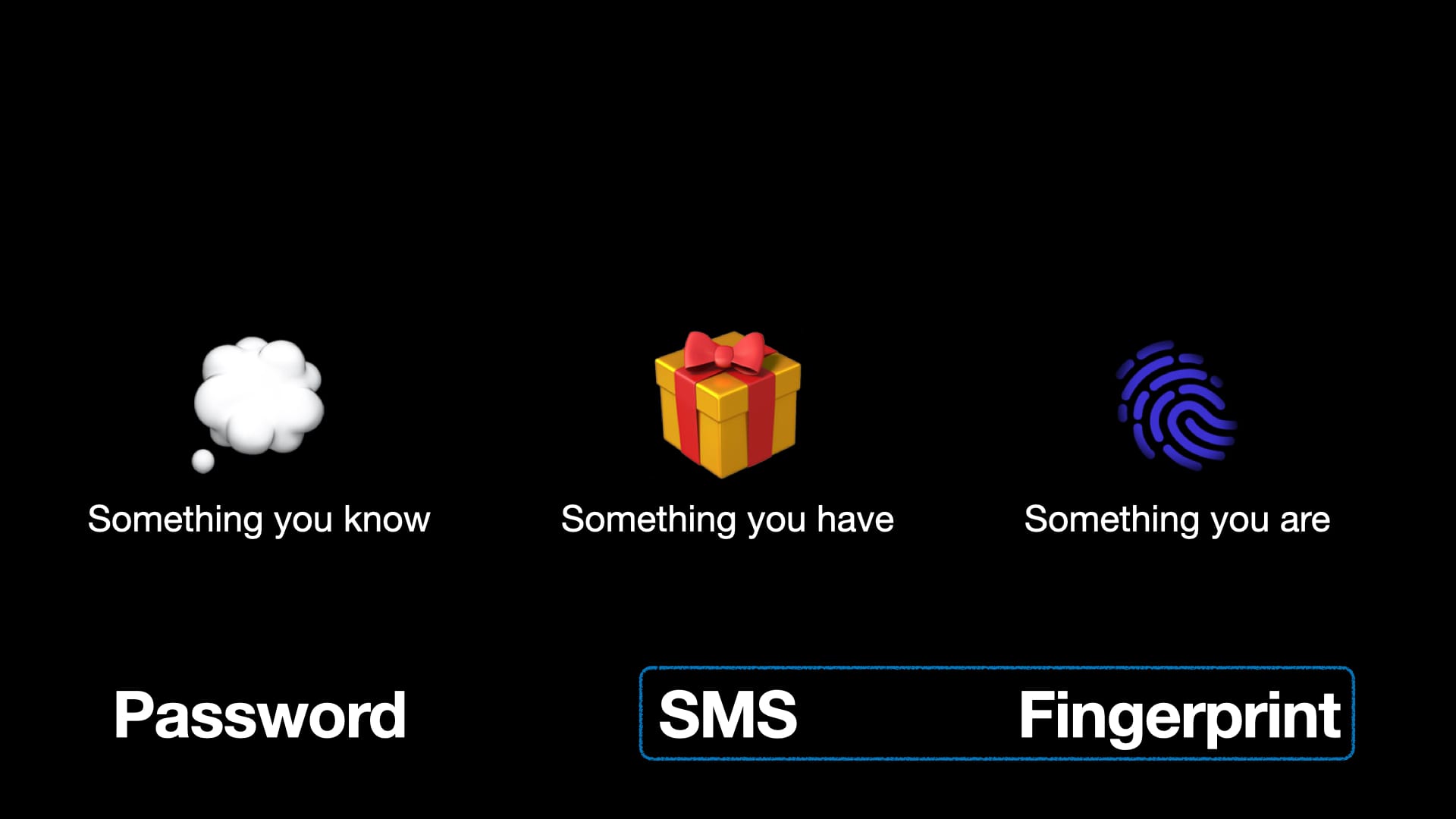
A password is "something you know." That means a 2nd factor would have to be "something you have" (like SMS or TOTP) or something you are (like biometrics). Since websites don't want to store your biometric data, you almost always end up proving your 2nd factor with "something you have."
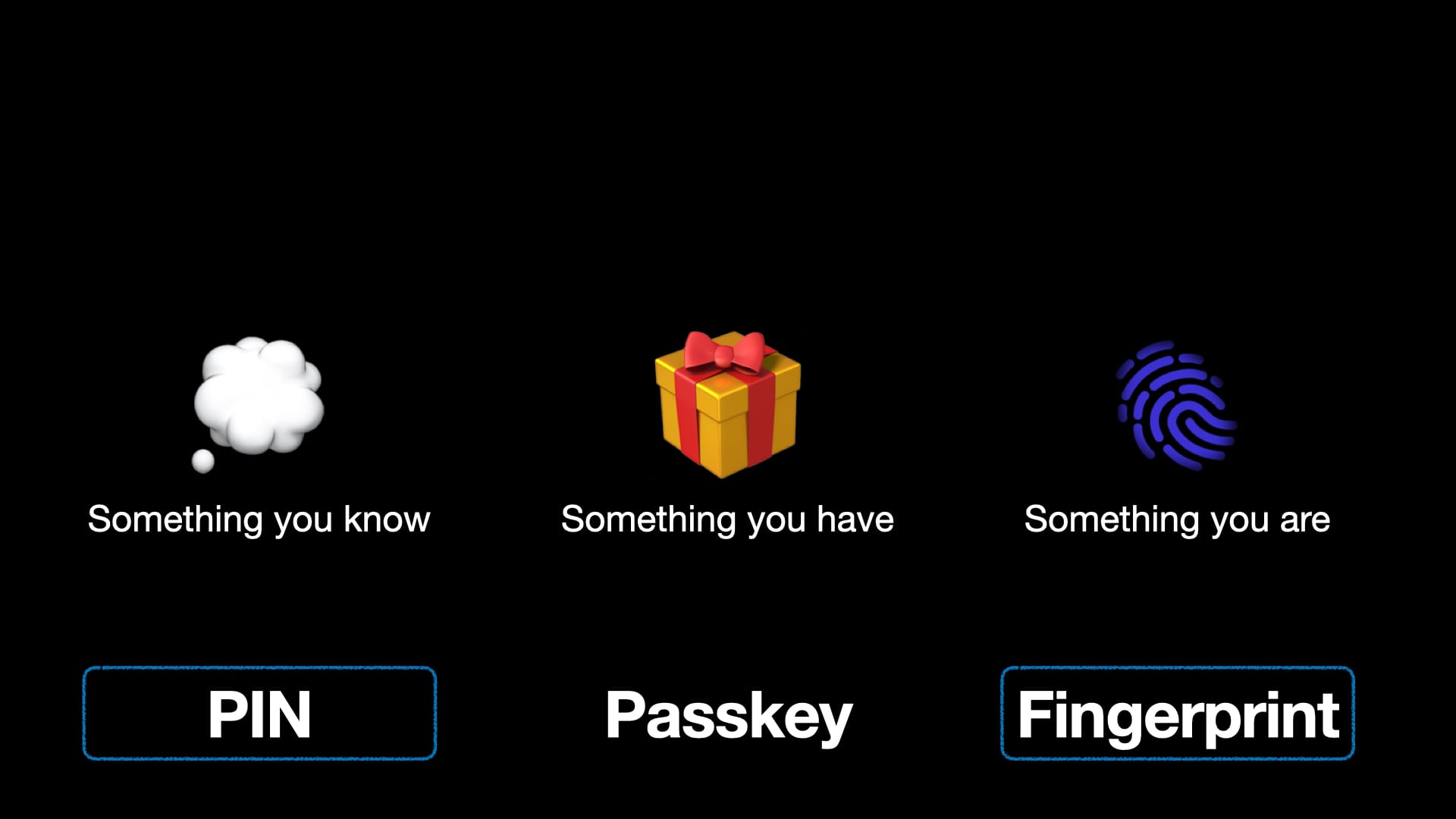
But a passkey is "something you have!" That means the 2nd factor can be "something you know" (like a pin) or "something you are" (like a fingerprint). And what'dya know - you already unlocked your authenticator by using a pin or biometrics! By the time you're handing over your passkey, you've already used two factors.
Everything looks peachy for passkeys!
...Right?
Passkey Problems
Given all these advantages, why isn't everyone using passkeys already?
It turns out there are some serious usability problems with passkeys. While passkeys solve many of the inherent security flaws in password-based authentication, it somewhat left ease-of-use by the wayside.
(There are many problems I could raise, but I'm going to focus on what I consider the three most salient ones and skip the more nit-picky issues.)
Problem #1: Passkeys are confusing
All across the internet, I’ve found takes like this:
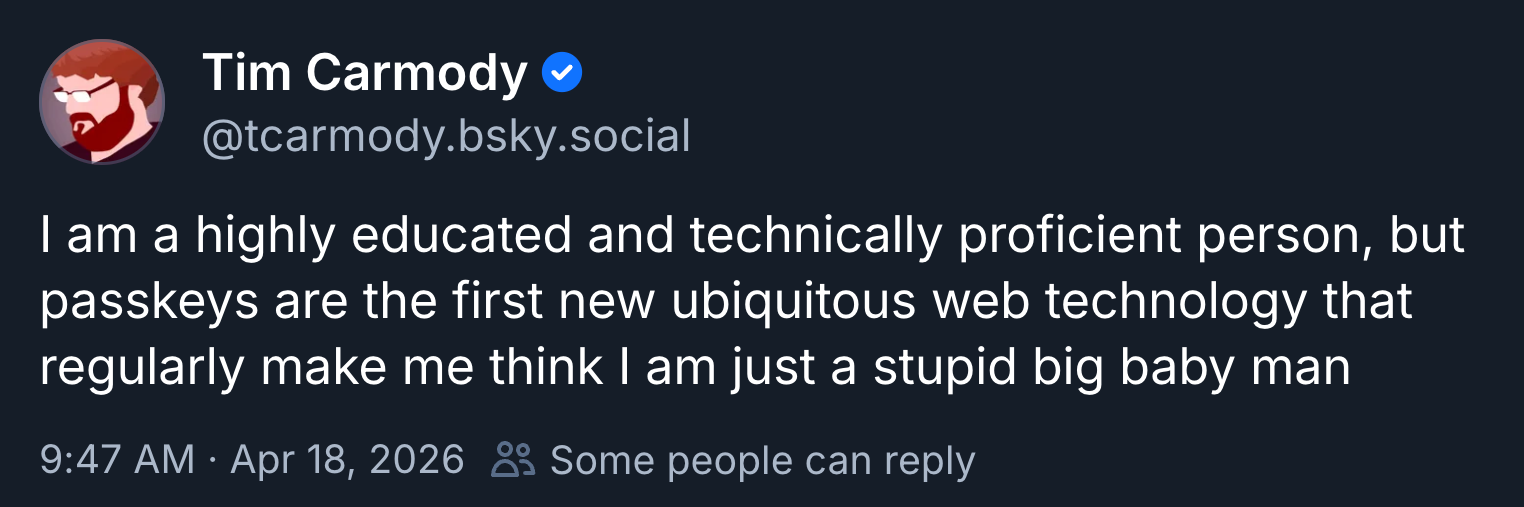
For reference: Tim Carmody is a longtime tech writer, so he should know his stuff. I'm with him, to be honest; I’ve been researching passkeys for months now and I still don’t feel like I understand every detail of it.
I believe the problem is that it’s difficult to form a working mental model of passkeys. There are two sources of confusion here: passkeys are complex, and passkey implementations are inconsistent.
Passkey Complexity
Let’s try explaining passwords to someone who doesn’t know what they are: it’s a secret word we share. Whenever you tell me that word I know it’s you because you’re the only person who knows it.
See how easy that was? Passwords, from a user standpoint, are simple. Sure, there’s a lot going on under the hood (hashing, salting, etc.) but you don’t need to know about that to use passwords correctly.
Now let’s try the same exercise with passkeys. It’s not a word; it’s a private/public key pair. What’s that? Well, there’s a long explanation earlier in this post. When you want to use your passkey, you have to use your thumbprint. Why? Because you have to unlock your authenticator. What’s an authenticator? It’s your phone, but also maybe your credential manager, or a hardware key. Wait, what…?
It’s tempting to think of a passkey as simply a fancy password, but they’re not. That mental model falls apart quickly: Why can’t I share passkeys as easily as passwords? Why does a passkey work on my browser, but not on the app? Why do I have to press a button, then enter a pin, on my hardware authenticator?
Passkeys, from a user standpoint, are complex. Most people aren’t going to take the time to dig into the protocol; they want something to Just Work.
Passkey Inconsistency
In terms of Just Working, passkeys often aren’t cutting it either. Websites implement passkeys in wildly different ways, which leads to great deal of confusion.
Let’s start by looking at a variety of sites asking you to create passkeys…
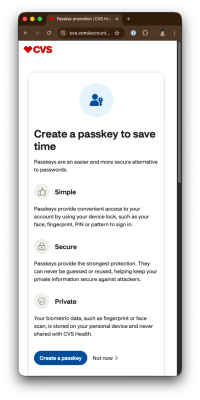
Here’s CVS. It’s fairly straightforward; it tells you what you’re getting into and gives you a single button press to start using passkeys. Great!
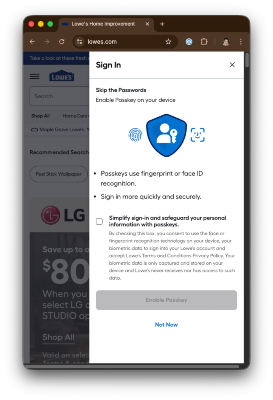
Here’s Lowe’s. They add a checkbox with some scary sounding phrases, like “consent”, “fingerprint recognition”, “terms and conditions.” Why is there a checkbox here and not on CVS? No idea!
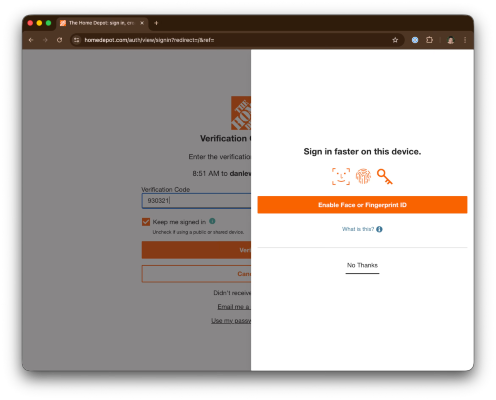
Home Depot doesn’t even mention passkeys. They call it “face or fingerprint ID”. No wonder people (wrongfully) think your biometrics are being sent to servers when using passkeys.
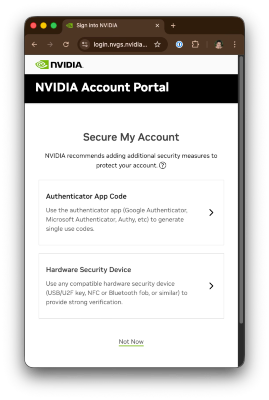
Many sites use passkeys solely as 2FA instead of auth. That’s the case for Nvidia, in which passkeys are registered as “hardware security device”, even though I’m using 1Password, which isn’t hardware at all. Huh?
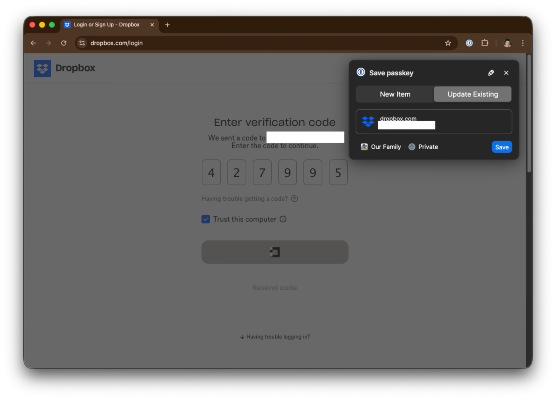
The absolute worst offender is Dropbox, who had no message whatsoever. They simply started registering a passkey with my credential manager the moment I logged in. Yet again, tech does not understand consent!
Let’s take a look at authentication now.
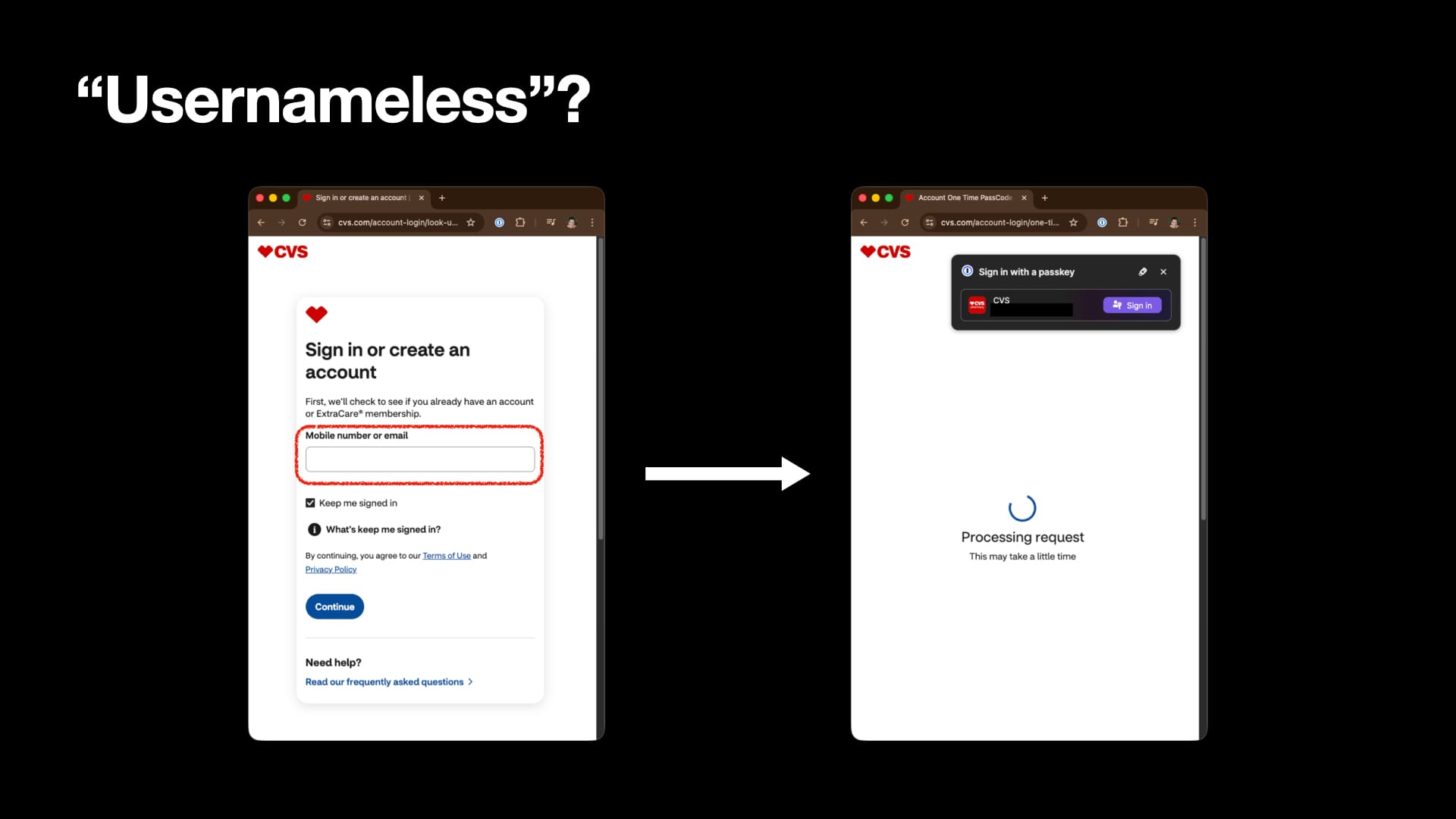
Did I mention earlier that passkeys are usernameless? CVS still asks me for an identifier before letting me use my “usernameless” passkey.
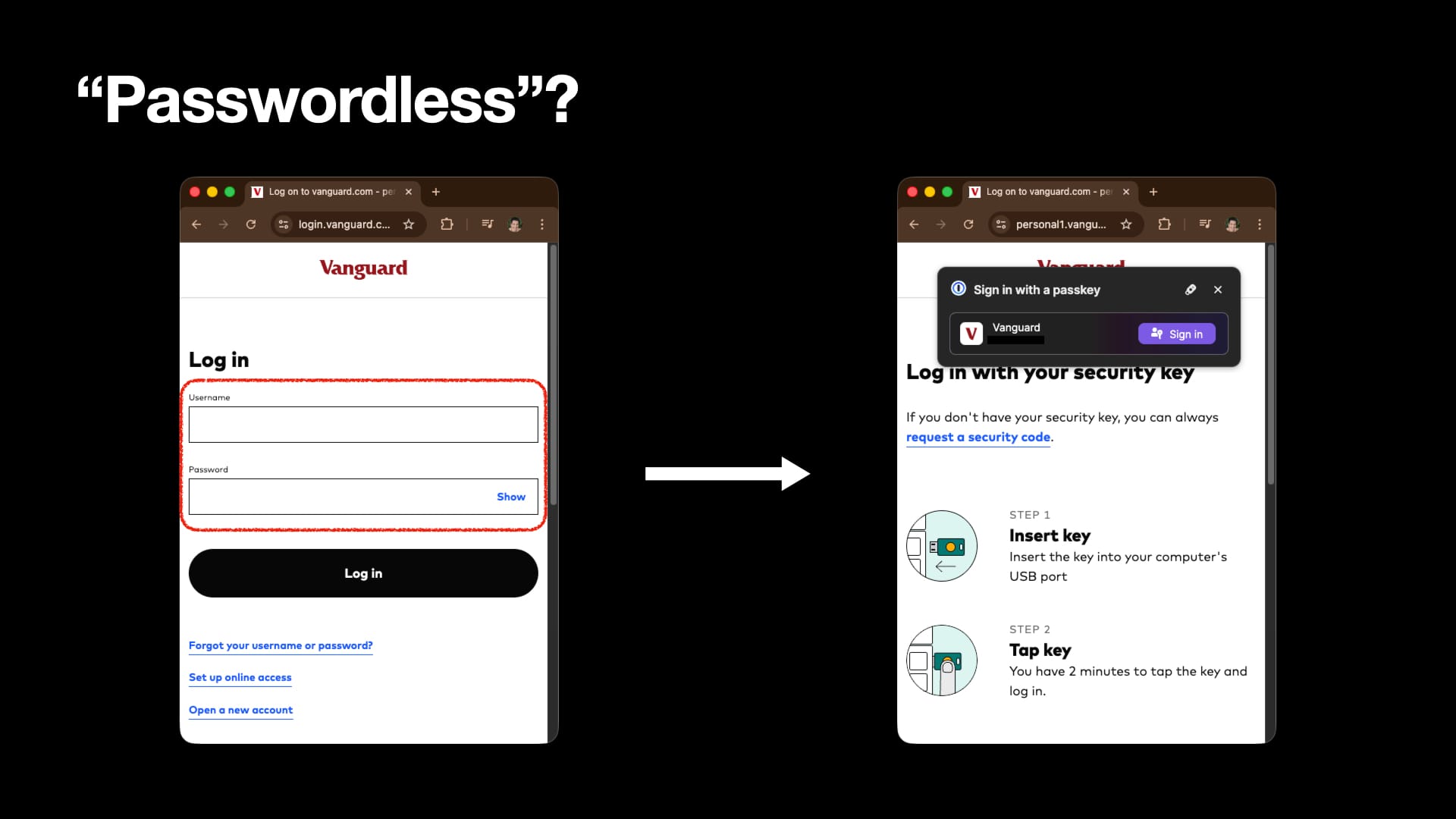
Even worse - Vanguard has me enter both username & password before using my passkey! That’s because they’re using passkeys as 2FA. Their little guide even shows a hardware key even though I’m using 1Password. What is a passkey - authentication or 2FA?
Not only do websites have wildly different implementations, but vendors also trip over each other while fighting to be your credential manager.
When I signed in this time, I refused to use 1Password’s passkey. Subsequently, Chrome’s credential manager pops up to say hello. Why can’t I just cancel the passkey flow once?
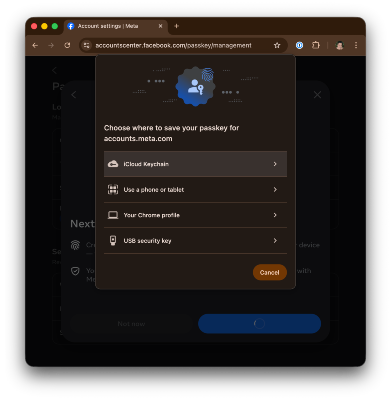
I tried creating a passkey on Facebook and failed because 1Password never popped up as an option. Sure, Chrome popped up, as did Apple Keychain, but for unknown reasons, 1Password wasn’t eligible.
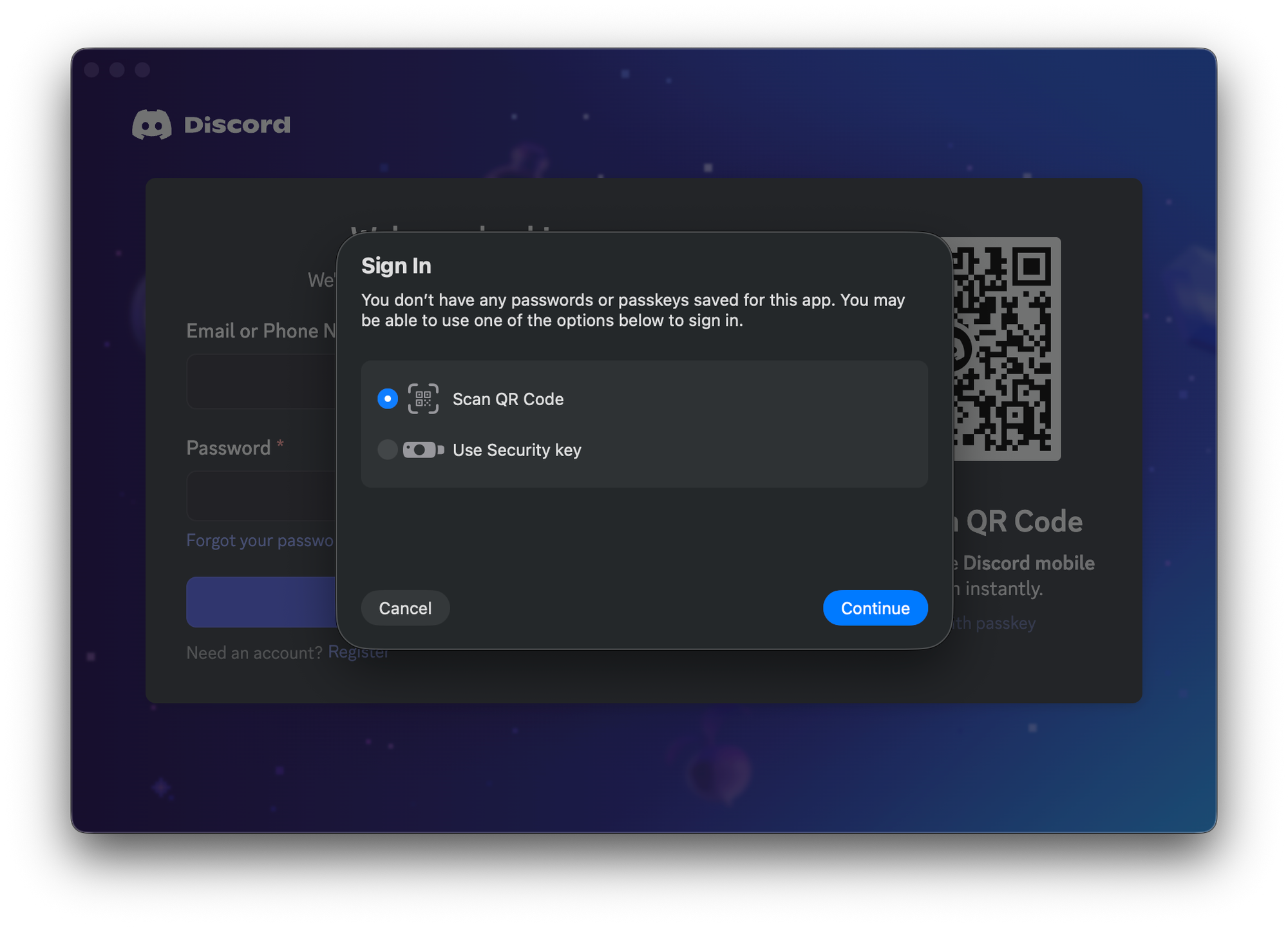
Discord has a website & I created a passkey on it. It also has an app, but the app wouldn’t launch 1Password to look for a passkey. I tried logging on with my phone (using the QR code), but the phone wouldn’t use 1Password when using QR code passkey auth. Ouch.
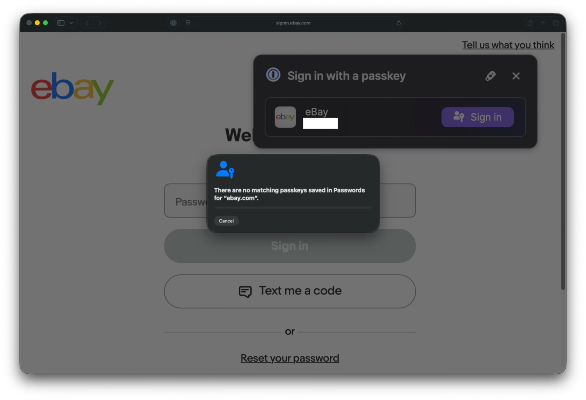
Safari always assumes you’re using Apple Keychain first and foremost. As a result, this hilarious image exists: Apple telling me there’s no passkey for eBay, while in the background, 1Password is trying to let me sign in using the passkey that definitely exists.
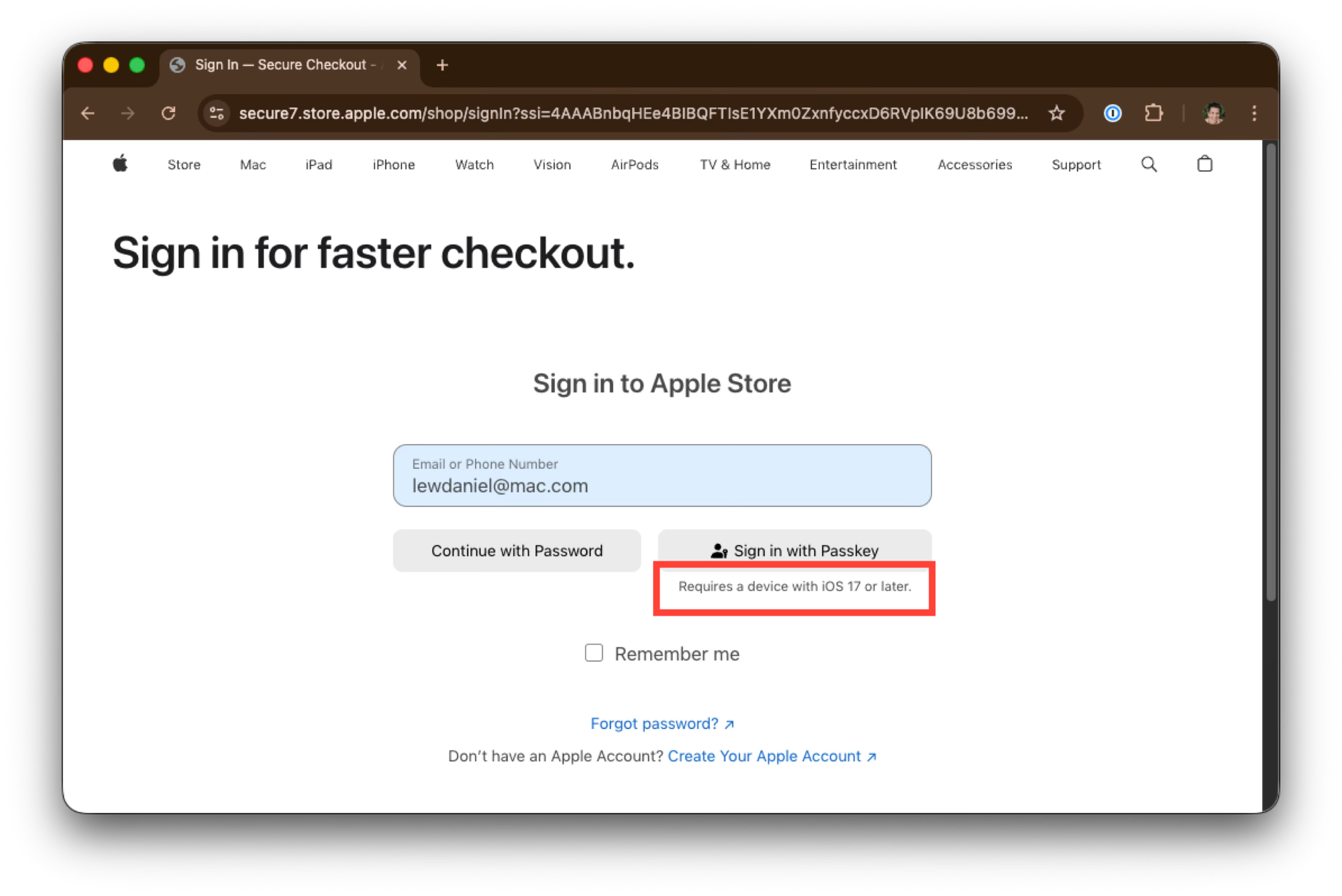
Apple's store is particularly hostile. They don’t even let you use a passkey if it’s not being stored on an iOS device!
There’s all sorts of inconsistencies that pop up constantly with passkeys. It can vary based on the website/app, the operating system (Windows, iOS, Android), the browser (Chrome, Safari, Firefox), the credential manager (Apple keychain, Google password manager, 1Password), and whether you’re using a hardware authenticator (Yubikey).
A far cry from how passwords generally work: two input fields, close to each other.
What all of this adds up to - between a complex interaction model and inconsistent implementations - is a very confusing experience for anyone trying to get a grasp on how passkeys work.
I think Mike Pound (on Computerphile) said it best: “People are not famously that interested in taking in things they don't understand.” Why would people take up passkeys when they’re so confusing?
Problem #2: Passkey technical issues
The section above - with all its inconsistencies - still were “correct” implementations of passkeys. But it turns out that implementing passkeys can be hard to get right, and so there’s plenty of straight-up bugs out there.
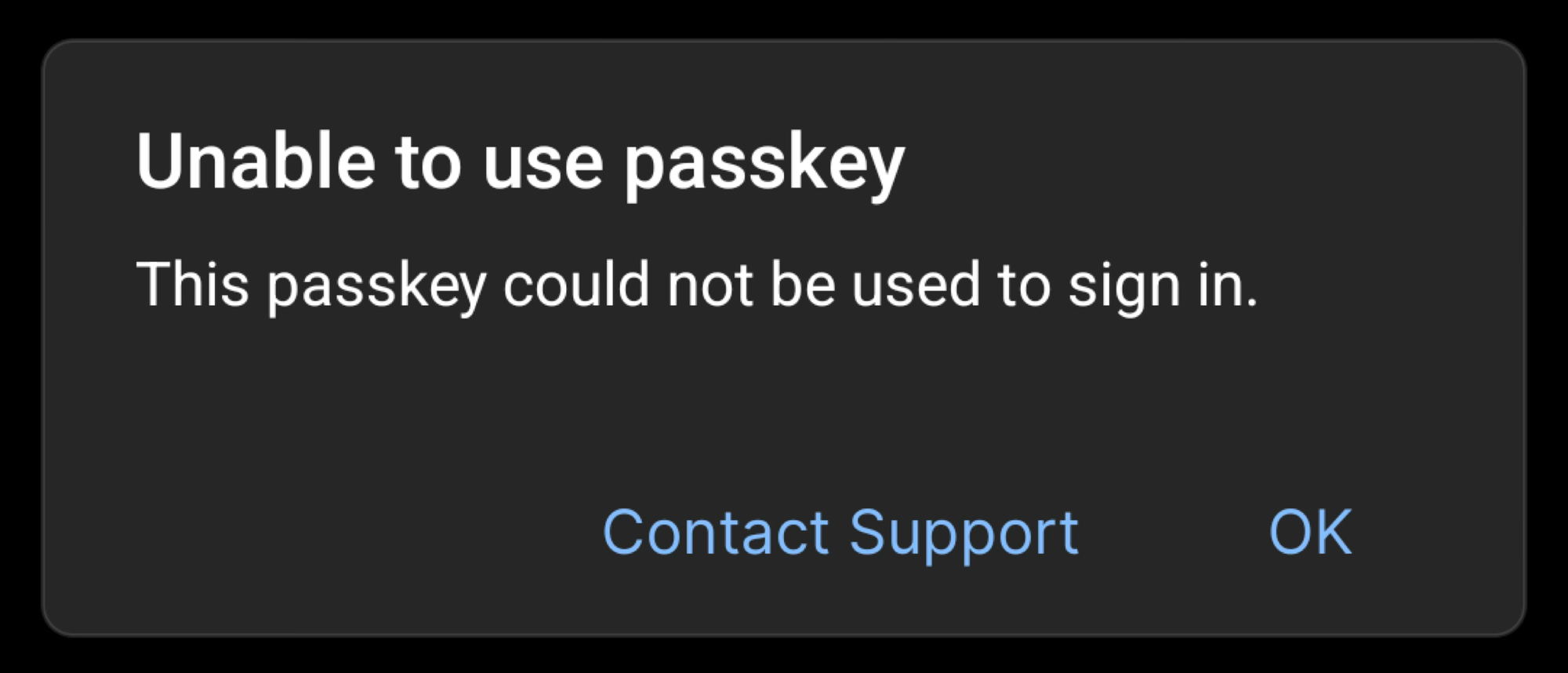
Early on in my passkey testing, I ran into the above error when trying to authenticate with eBay. I’d just created a passkey a minute earlier, and it didn’t work. No idea why! (A minute after that, it did start working again.)
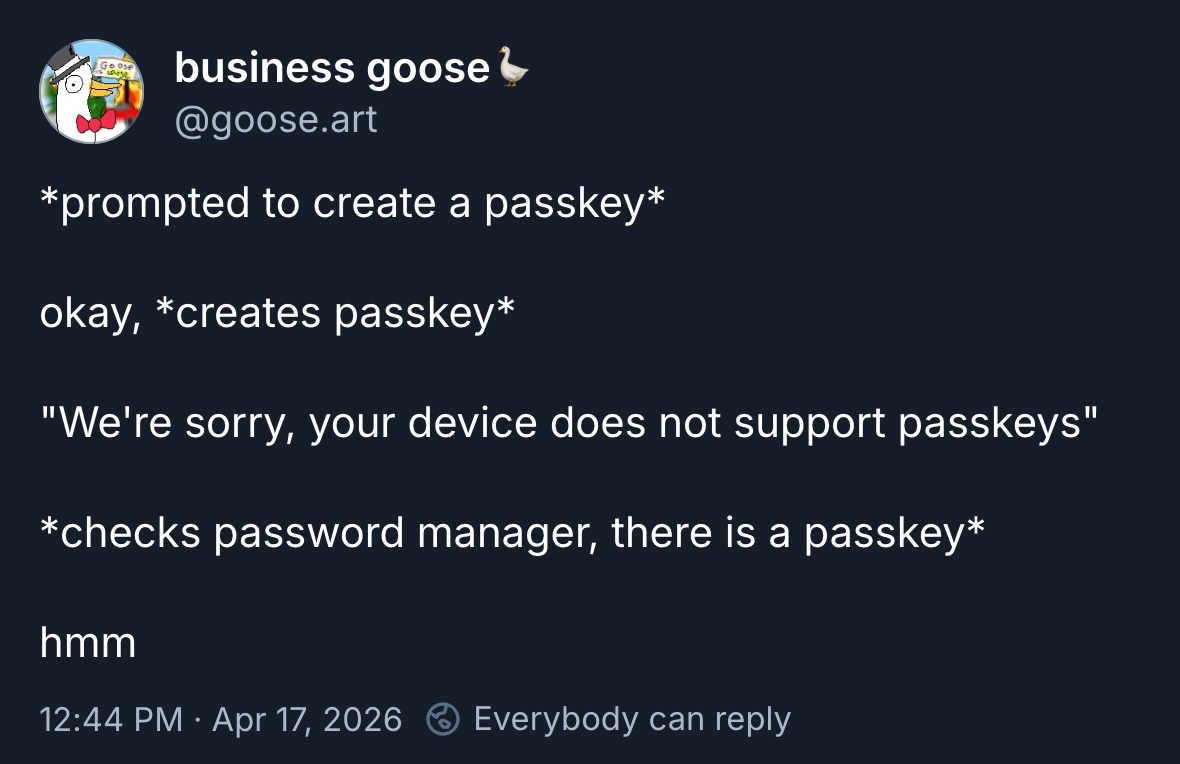
I perused social media to see what problems people had been posting about recently and found this. Classic problem.
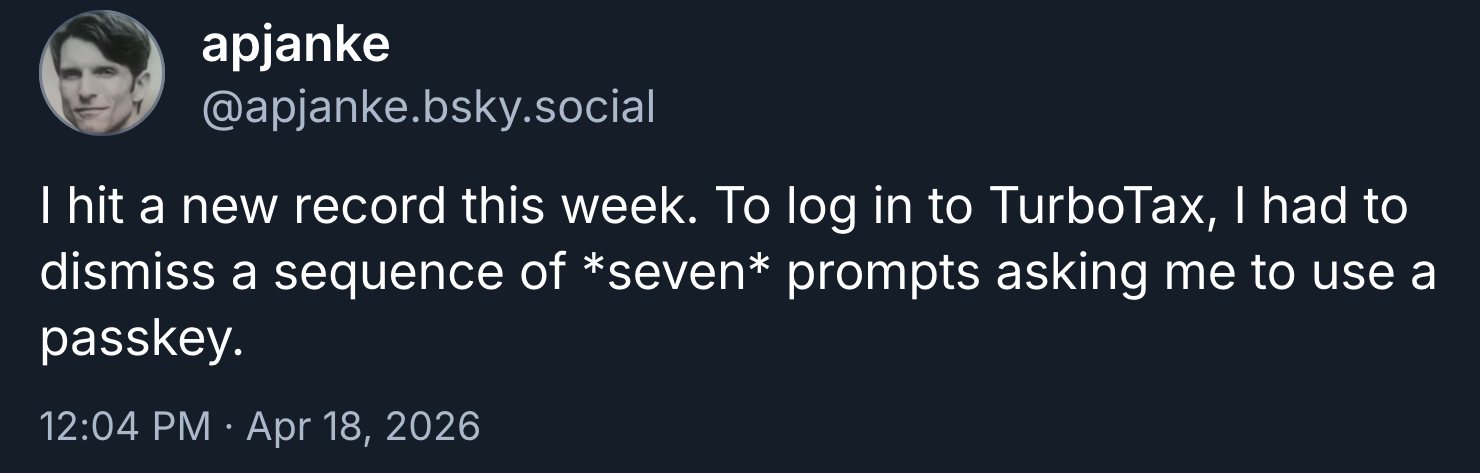
My record is four prompts I had to dismiss in a row (on Amazon). Seven is both impressive and horrifying.
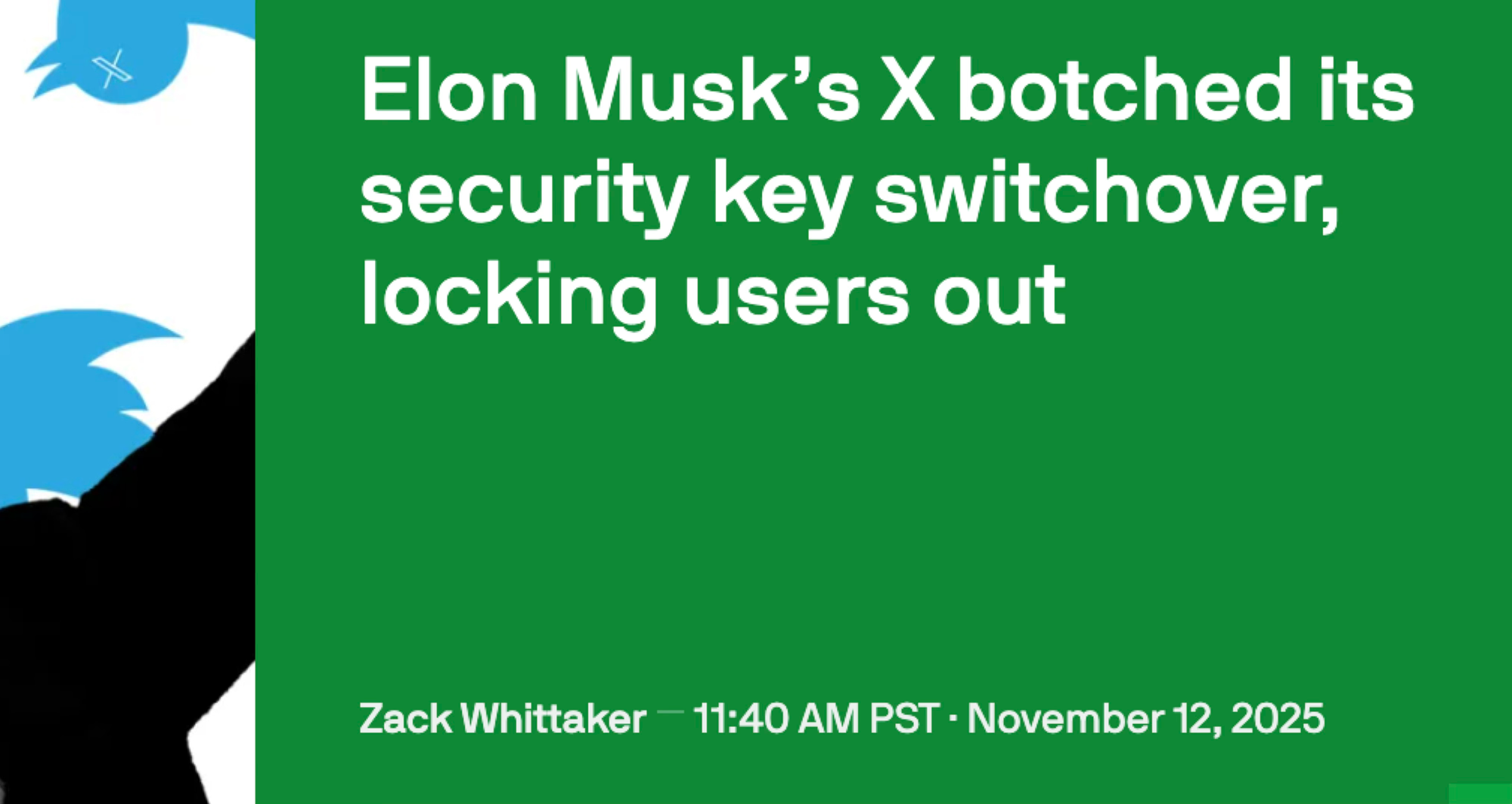
Surprising no one, Elon Musk fucked something up. Because passkeys are tied to a domain, everyone lost their passkey authentication when Twitter became X. There’s a way they could’ve solved it (using related origins) but they didn’t, so whoops, some people got locked out.
There’s all sorts of issues I found people complaining about online:
One passkey at a time - you’re supposed to be able to create multiple passkeys for any given server, which is crucial if you’re using hardware keys & want backups. But some sites only let you register one passkey at a time.
One passkey, ever - some sites would let you create a passkey… but if you deleted it, it would never let you create another passkey again.
Passkey linked to cookie - some sites would link your passkey to a browser cookie (presumably so they’d know when to initiate the passkey flow in the future). Only, this meant you could only use the passkey on the browser that originally created the passkey, not any other devices.
Can’t initiate passkey flow - authenticating with a passkey is something the website has to initiate. Sometimes you have a passkey but the site just won’t ask for it!
Can’t find passkey - you might have a passkey, but the site can’t seem to find it.
Just plain broken - you just get a random error (like I did above).
The source of all these problems became clearer to me when I stumbled across this blog post about how passkey implementation is harder than you think. (Yes, it’s partially an advertisement, but it’s got a lot of good technical details as well.) The basic case might be easy, but handling all the corner cases can be tricky.
Lest you think it’s only the sites having problems, credential managers themselves have also had severe issues. William Brown, the author of webauthn-rs, has had his Apple keychain’s passkeys completely wiped four times for no reason. Royce Williams, a security architect, researcher, and collector of hardware keys has seen multiple Android devices simply lock him out of his passkeys. These are people who know the technology well and are still getting slapped by them.
Passkeys are still relatively new on the scene, and they clearly could use a bit more polish.
Problem #3: Passwords are still here
Passkeys solve the security problems of passwords, but for the most part, passwords haven’t gone anywhere!
Let’s say I’m logging into a Google account with a passkey…
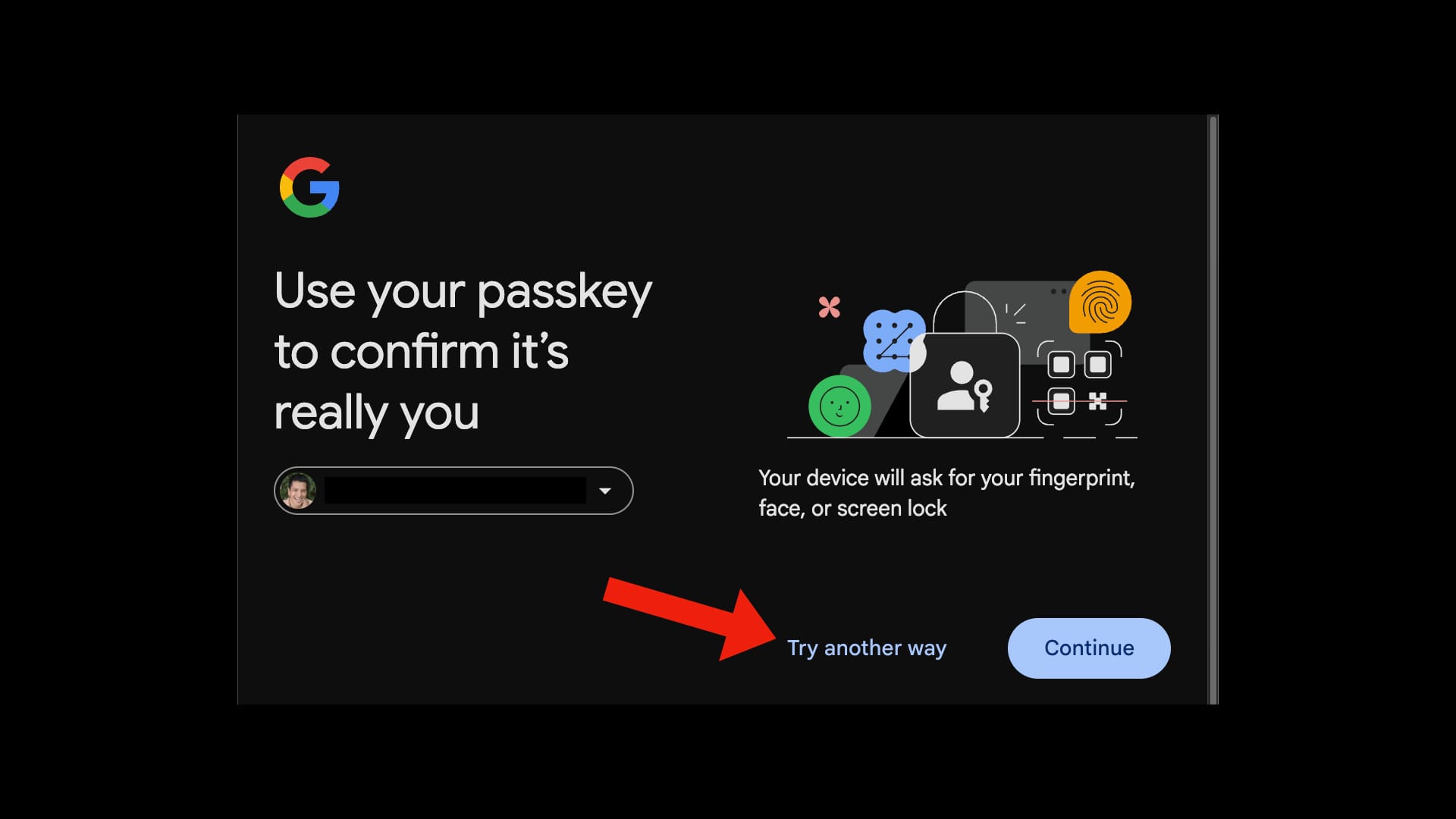
I don’t have my passkey with me, so lets “try another way.”
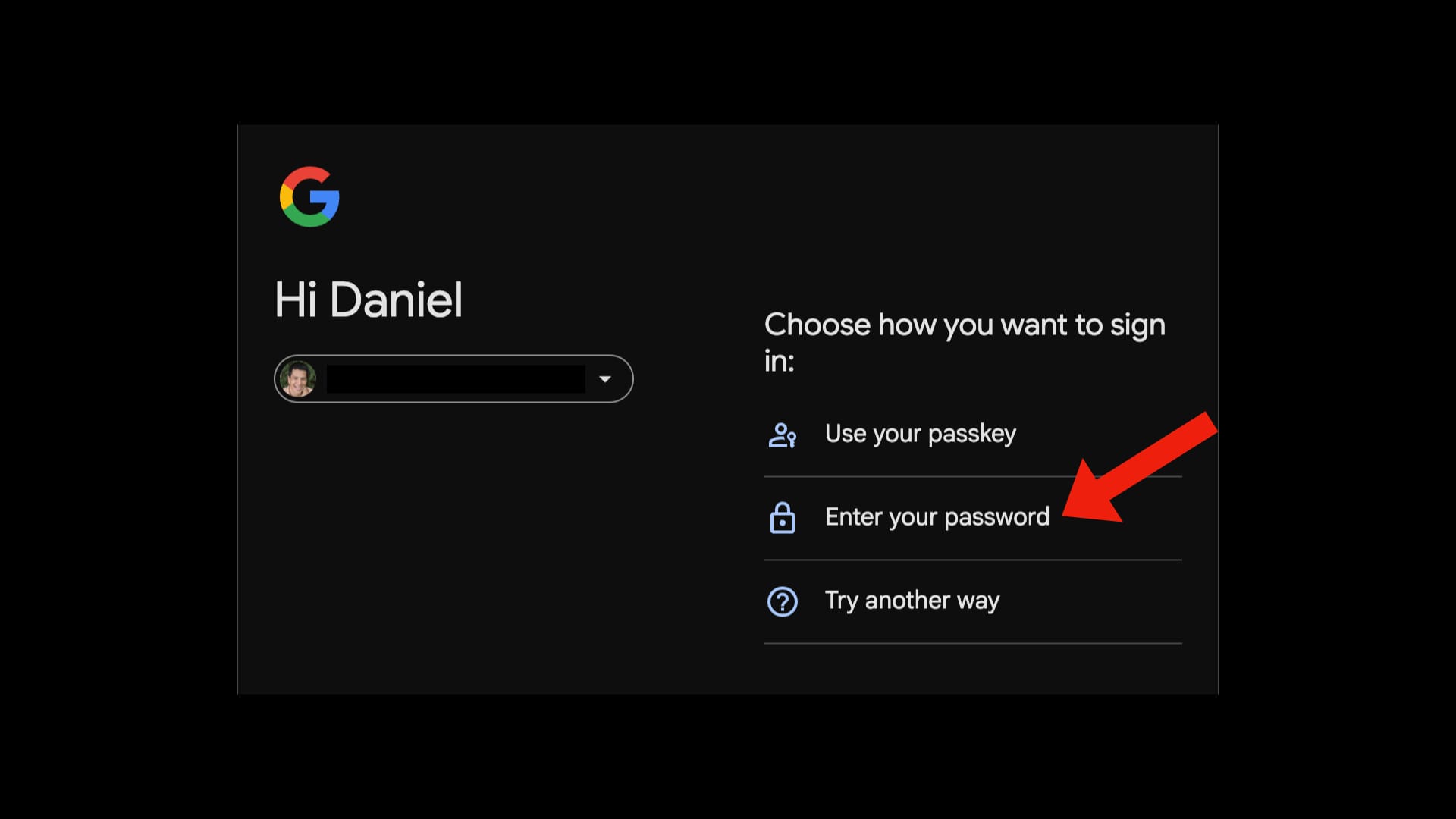
Oh ho ho! One of the options is to use my password!
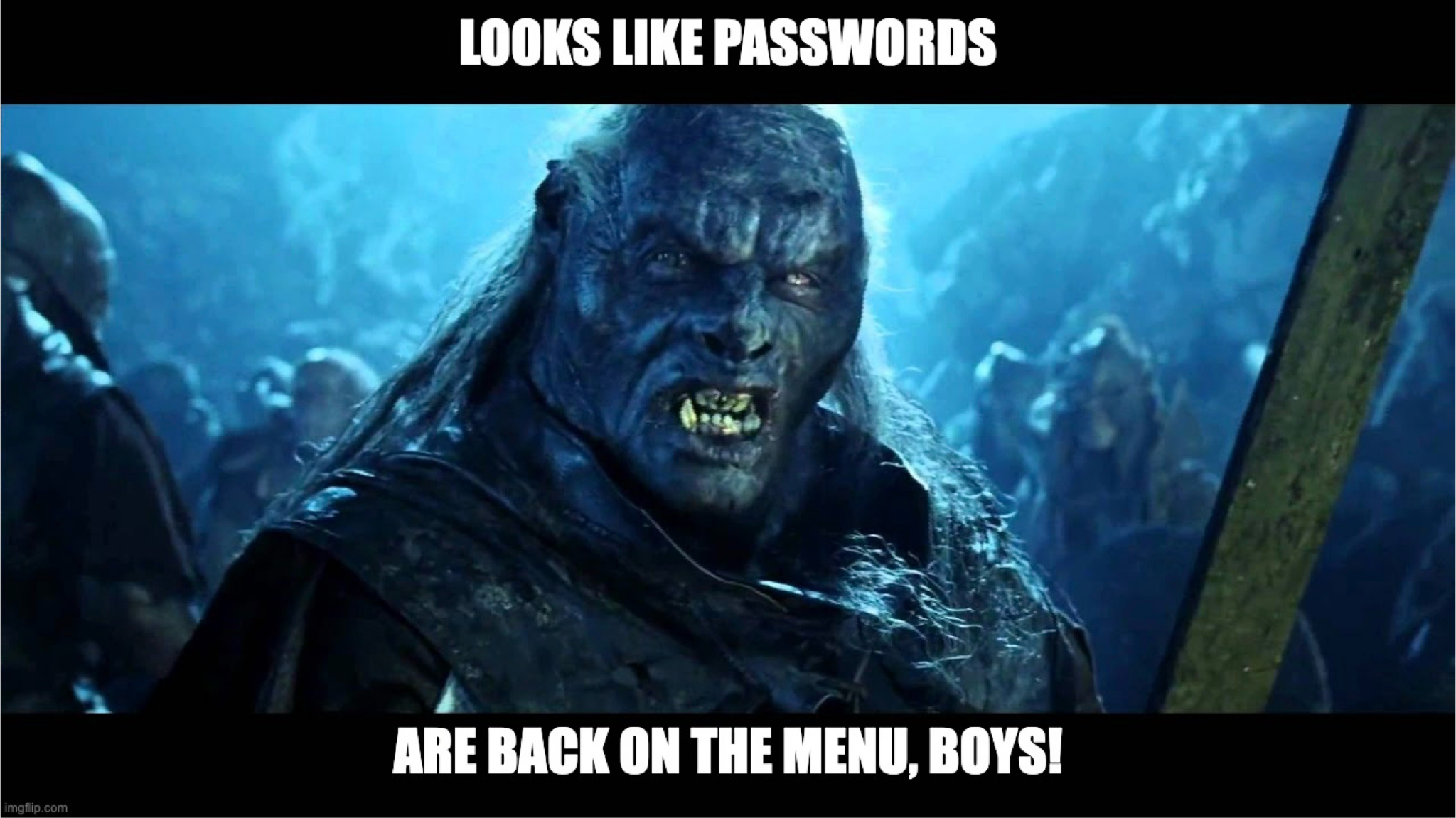
Remember all those problems with passwords? Well, as long as they're available as a fallback authentication method, passkeys don’t offer any extra protections at all!
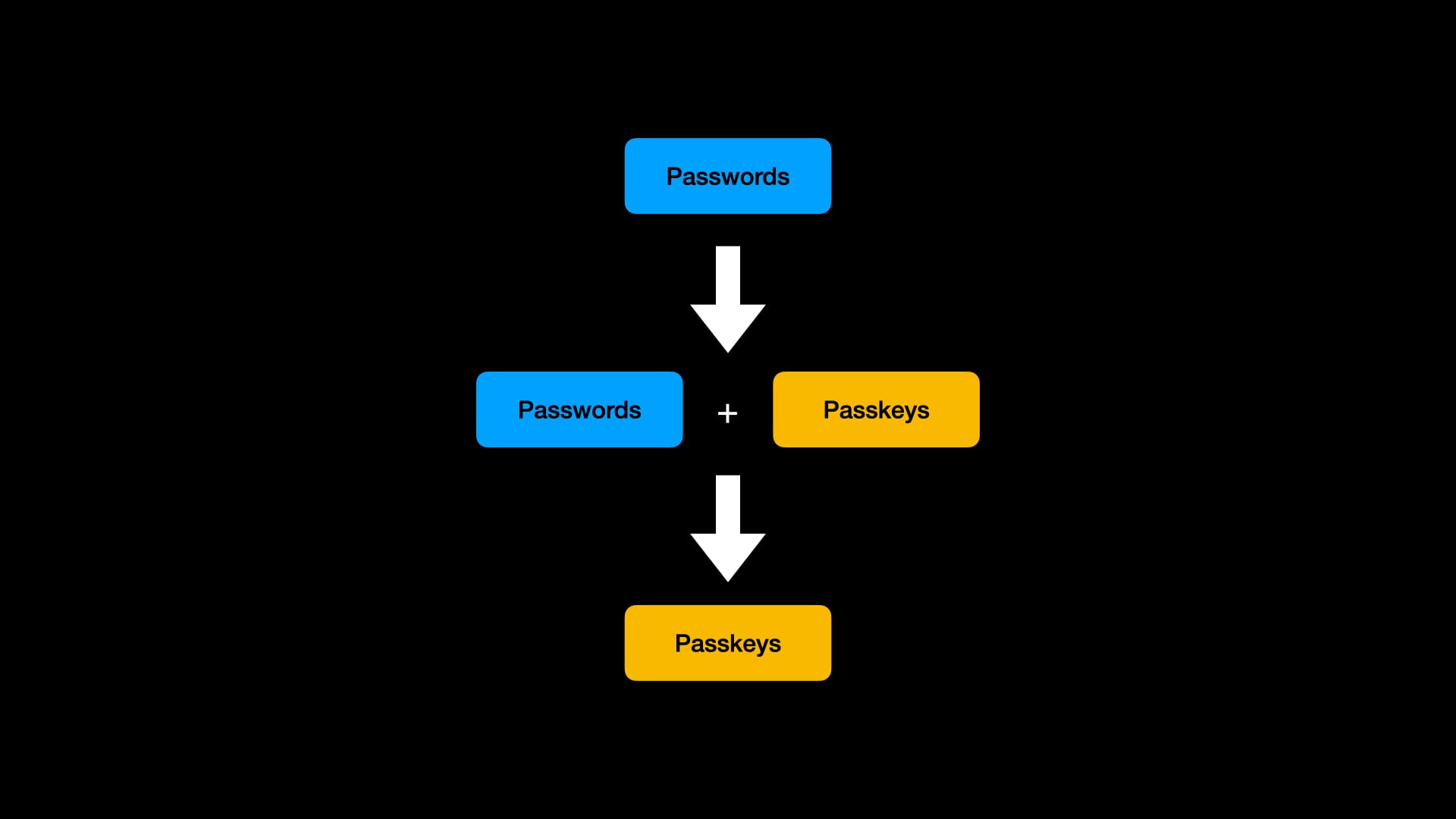
There needs to be a period of transition wherein we support both passwords and passkeys, so that eventually we can delete the passwords. But to get any of the advantages now, sites need to start letting you delete your passwords once you’ve created a passkey.
I’m being a bit unfair to Google, as they are one of the only services that let you lock your account to passkeys with their advanced protection program. However, they’re the exception, not the rule. Most sites with passkeys have no clue that a passkey should make passwords obsolete.
As long as password authentication lives, passkeys only exist to be more convenient. (But as shown above, sometimes they are significantly less than convenient.)
Conclusion
Passkeys are in limbo. Will passkeys gain mass adoption & become a ubiquitous technology, like passwords before it? Or will it be relegated to the world of techies & company IT, who understand it well enough to use it effectively?
In my mind, the tech world jumped the gun a bit. Passkeys are everywhere because they are technically superior to passwords, but we didn’t spend enough time concerning ourselves with user experience.
If we want passkeys to win (and I think we'd be better off if they did, since passwords are a security nightmare), I think passkeys need three things:
- Better understood & trusted - there needs to be a way to present passkeys such that an everyday person understands them, and thus they gain their trust.
- Stable & consistent - sites & credential managers need to get their act together so passkeys work in a consistent manner.
- Rough edges polished - there are deficiencies in passkeys that need to be addressed in the spec (such as a lack of passkey export protocol, which has been a work in progress for a long time).
Are the problems of passkeys solvable? Or are they fundamental to the way passkeys were designed? I honestly don’t know, and don’t care to speculate (as whatever prediction I make will just make me look foolish someday). Maybe someday we’ll all be using passkeys. Maybe not.
As for my mom: I told her to skip passkeys for now. It’s just not baked enough for your average user IMO. Plus, she’s already using a password manager, which solves some of the major problems with passwords, making the security upgrade between “password” and “passkey” smaller.
As for you, the reader: if you feel inclined, why not give it a try? Especially on your most important accounts (like email). Worst-case scenario, you can always fall back to using passwords. Hah!
I, myself, have adopted passkeys now. Sometimes they are brilliant. Sometimes they are frustrating. Sometimes they are broken. As a techie, I’m used to that, and I’m willing to put up with it. For now.
Further Reading & Thanks
If you want to learn more about passkeys, I’ve got four places I’d start, depending on the level of detail you desire:
How Passkeys Work - excellent video explaining more details on how, exactly, passkeys work.
WTF is a passkey with William Brown - fantastic podcast about the history of authentication, how we ended up with passkeys, and issues with them.
Why Passkey Implementation is 100x harder than you think - informative article on the many pitfalls of implementing passkeys in your app.
A Tour of WebAuthn - a detailed deep dive on the inner workings of passkeys.
Also, many thanks to Wiliam Brown for his valuable input on the original talk.